
Generate a scenario quickly
Use Surprise me or a one-line description to start fast.
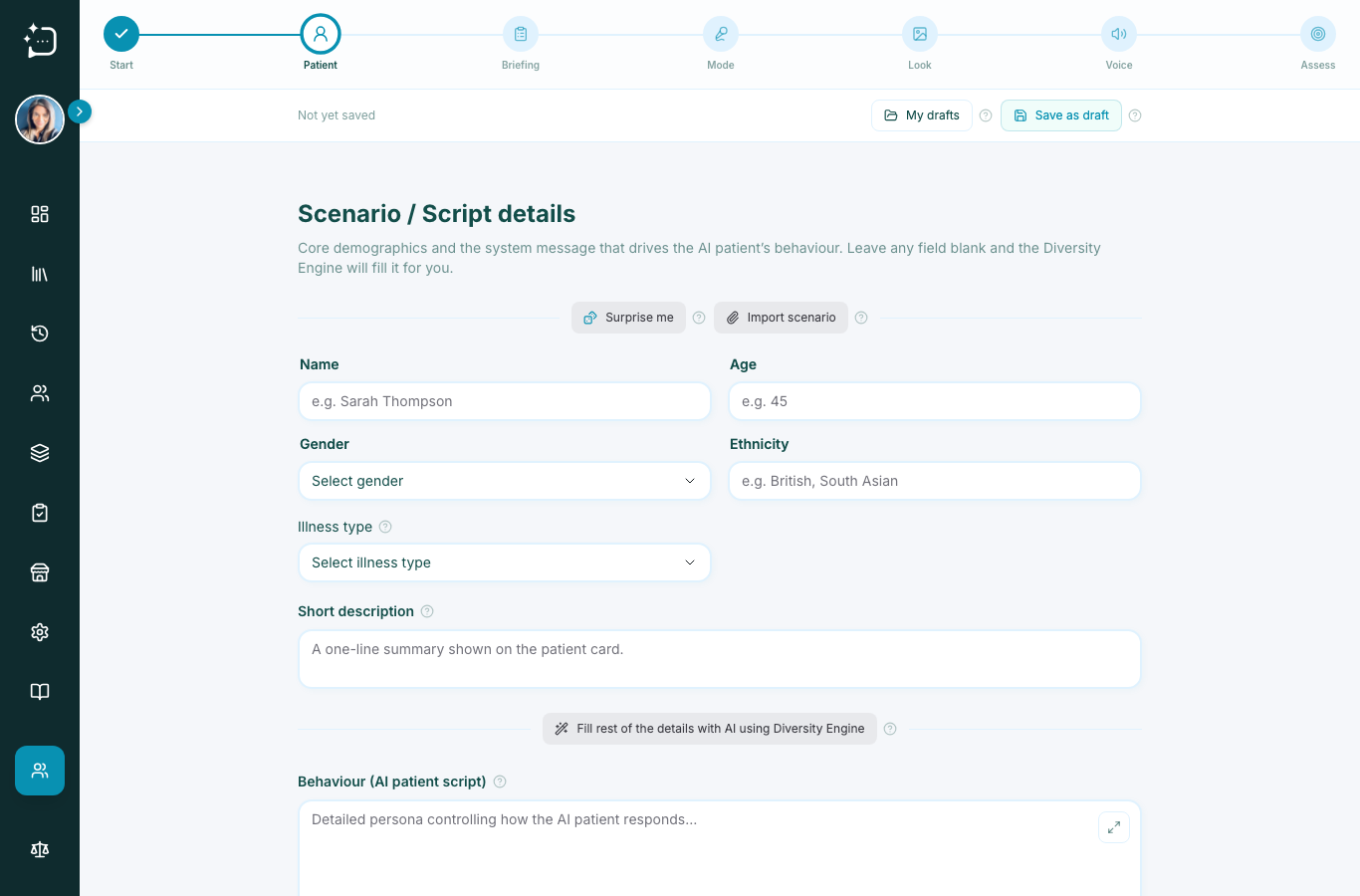
You don't have to write a scenario from a blank page. On the Patient step of the wizard, two tools do the work for you.
Surprise me
Press Surprise me and SimPatient generates a complete, realistic patient - demographics, a presenting situation, and a behaviour script - drawn from a curated, diverse pool. It's a one-click way to get a working scenario you can then tweak. Press it again for a different patient.
Fill the rest with the Diversity Engine
Prefer to steer it? Type just the parts you care about, for example a name and a one-line description like 55-year-old with chest pain, and leave the other fields blank. Then press Fill rest of the details with AI. The Diversity Engine completes the persona around what you've written, so your scenario stays grounded in the case you had in mind.
Did this help?
If you're still stuck, email hello@simpatient.co.uk.