
Use consultation history
Reopen previous sessions, transcripts, reflections, and feedback.
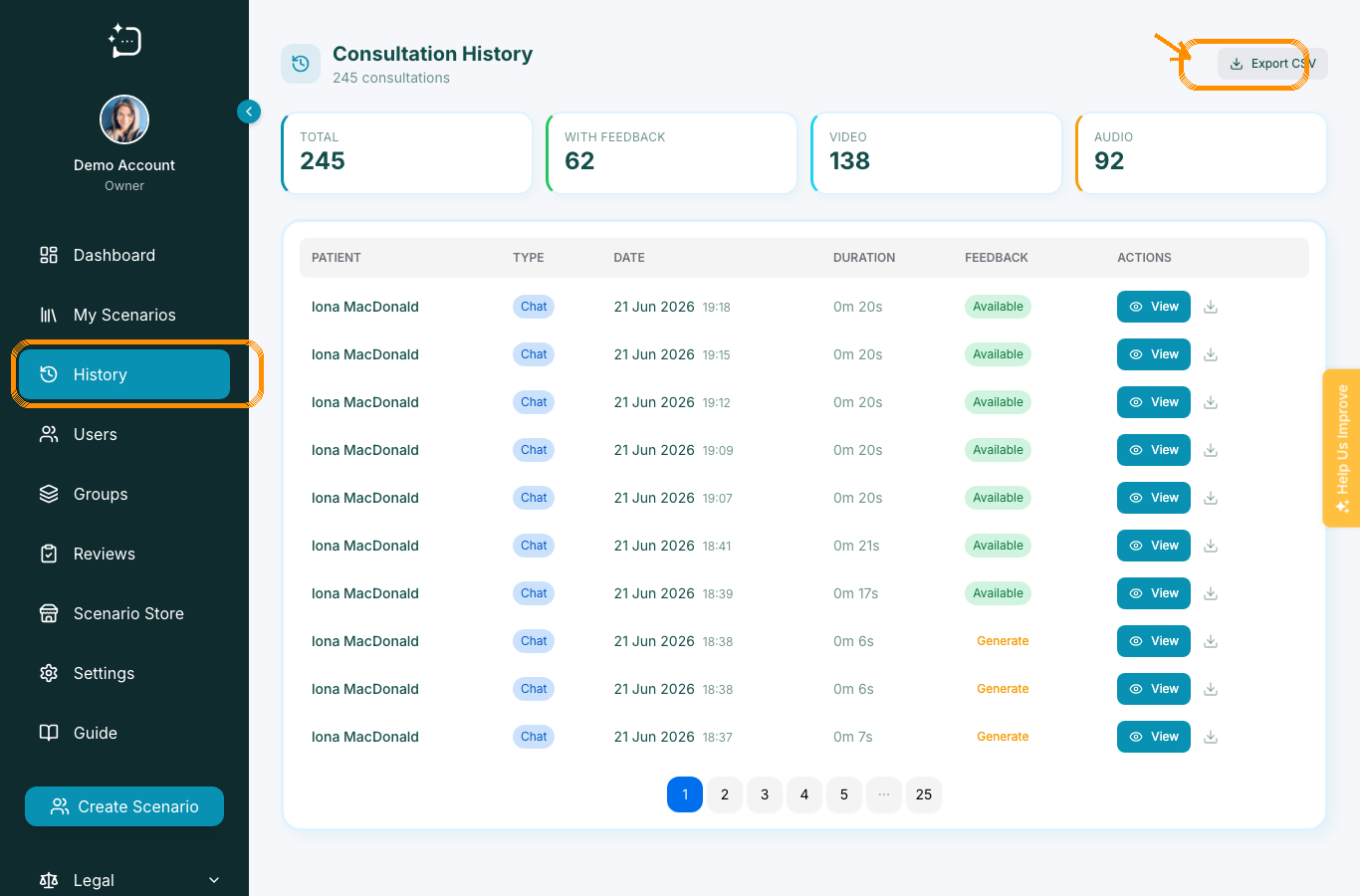
Quick steps
- 1Open History from the sidebar.
- 2Find the consultation by patient, date, or status.
- 3Open the conversation to review transcript and feedback.
- 4Export records when your programme governance requires it.
History helps learners revisit their own practice and helps staff review evidence after sessions. Use it when someone asks where their previous conversation, reflection, or feedback went.
What you can review
- Consultation date, status, mode, and duration.
- Transcript messages from the session.
- Reflection answers where submitted.
- Feedback if it has been generated or published.
If feedback is missing, check whether the scenario uses tutor review before asking the learner to repeat the session.
Did this help?
If you're still stuck, email hello@simpatient.co.uk.