
Use the dashboard
Read activity, usage, credits, and student trends from one place.
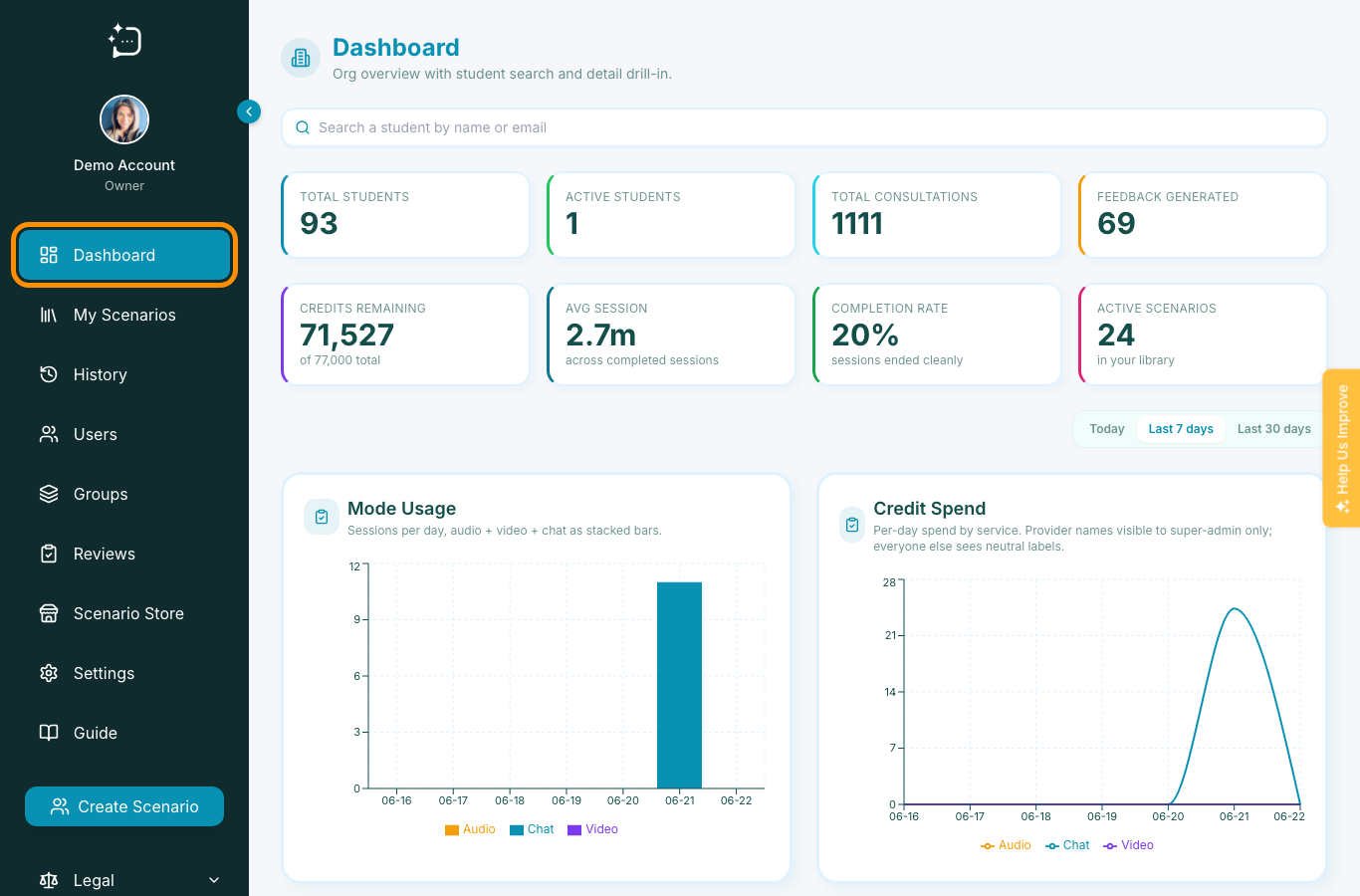
Quick steps
- 1Open Dashboard from the sidebar.
- 2Review the top KPI cards for current activity and credits.
- 3Use the time filter to compare today, week, and month activity.
- 4Search for a student when you need a specific drill-down.
The dashboard is the admin centre overview. It helps owners, administrators, and authors see whether learners are practising, which modes are being used, and whether credit consumption needs attention.
What to check first
- Total and active students for adoption.
- Total consultations and feedback generated for engagement.
- Credits remaining for operational planning.
- Mode usage and credit spend charts for weekly review.
For cohort-level action, move from Dashboard into Users, Groups, Reviews, or Settings using the sidebar.
Did this help?
If you're still stuck, email hello@simpatient.co.uk.