
Find your way around the sidebar
What each sidebar tab is for, from scenarios to admin centre.
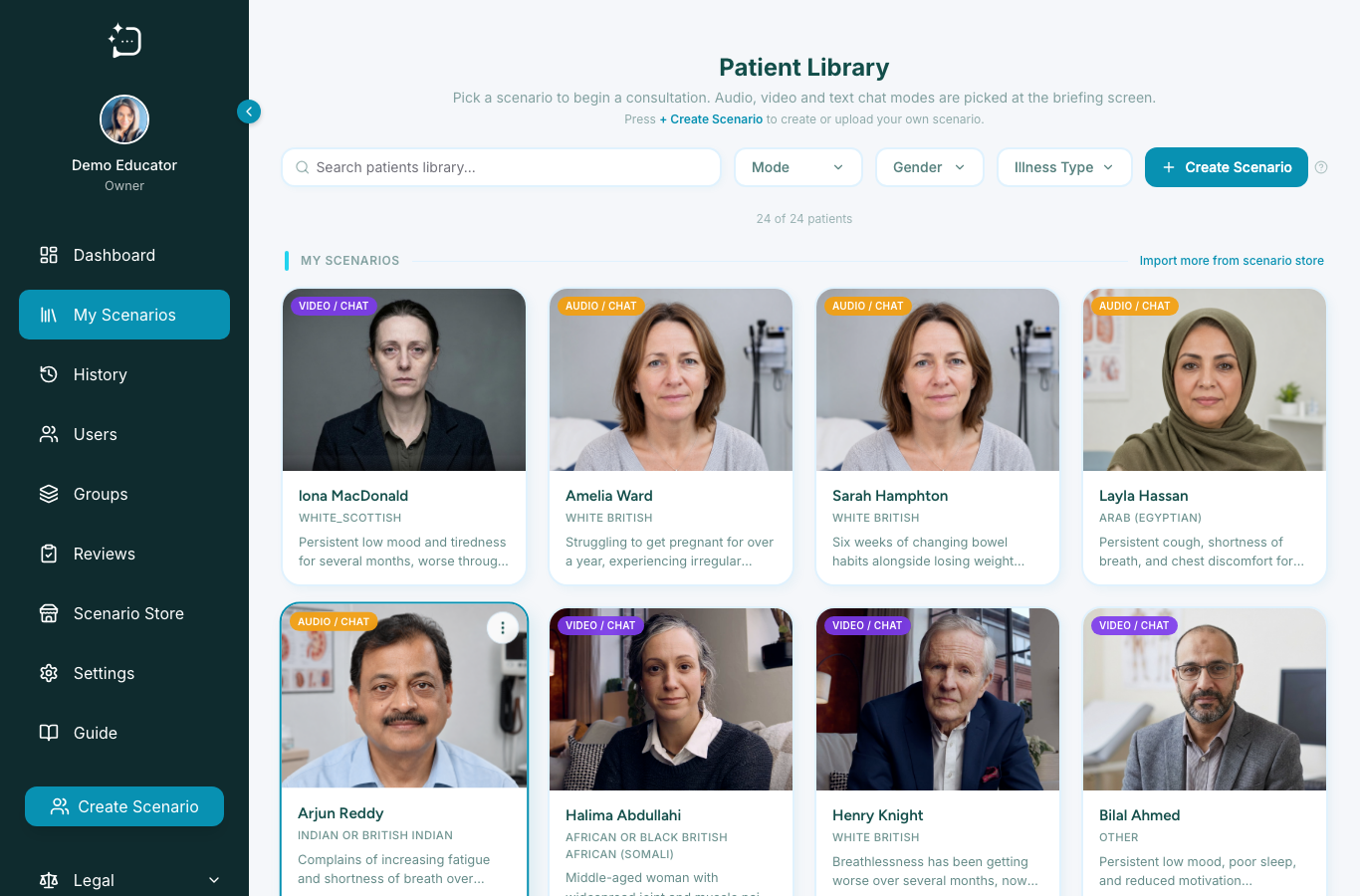
Quick steps
- 1Use My Scenarios to browse and start patient cases.
- 2Use Dashboard to review activity and performance trends.
- 3Use History to revisit completed consultations.
- 4Use Users, Groups, Reviews, Scenario Store, and Settings for admin work.
- 5Use Legal for privacy, terms, DPA, cookies, and scenario-sharing documents.
The sidebar is the quickest way to understand the system. Learners mainly use My Scenarios, History, Dashboard, Guide, Profile, and Legal. Staff also see admin-centre tabs for users, groups, reviews, scenario sharing, and settings.
Admin centre tabs
- Users: view members and create student or staff invites.
- Groups: organise learners into cohorts and control scenario access.
- Reviews: moderate tutor-review feedback before learners see it.
- Scenario Store: import, clone, or share scenario content.
- Settings: manage organisation details, personas, rubrics, and credit limits.
If you cannot see an admin tab, check your assigned role before troubleshooting the browser.
Did this help?
If you're still stuck, email hello@simpatient.co.uk.